Online Reporting & Mobile App
Track sales, settle payments, and get real-time reporting with the Clover Dashboard and mobile app
Customer Management
Stay connected to your customers and incentivize them with special offers using the built-in CRM tool. Store and export emails, receipts, notes, and purchase history
Employee Management
Track and manage employee shifts and control employee permissions
Payment Flexibility
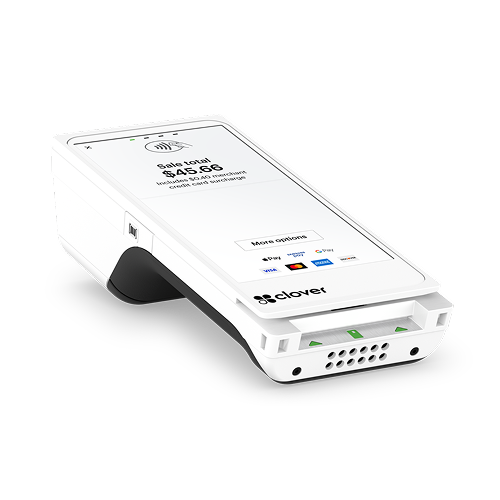
Accept all forms of payment, including chip (EMV), swipe (magstripe), and contactless (NFC)
Receipt Flexibility
Let your customers choose to receive print, email, or SMS text receipts
Wireless Freedom
Accept payment anywhere with Wi-Fi and LTE compatibility, with 8 hours of battery life
Multiple Payments
Split bills between credit, debit, cash, and gift cards in just a few quick taps
Auto-Close
Eliminate the need for manual settlement with batch processing that happens automatically, even if your device is powered off
PCI PTS Certified
Keep your business safe by ensuring all transaction data stays highly secure
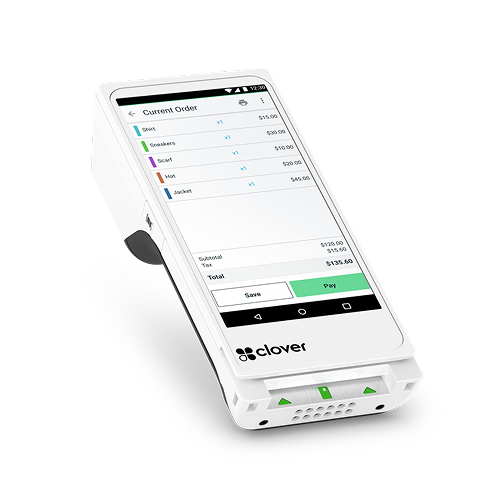
Sale - Take secure transactions with the Sale app. You can also accept money from gift cards and EBT cards
Refund - Use the Refund app to refund a previous transaction or issue a manual refund. Manual refunds require a payment card from the customer
Transactions - Use the Transactions app to keep records of the tender type used in the transaction, cardholder names, and which employee and which device handled the transaction
Closeout - Use the Closeout app to close out when you’re finished with the business day and view a report to see how much your business made during the day
Reporting - Stay informed on how your business is performing with reports on the Web Dashboard
Phone Sale - Use the Phone Sale app to take payment over the phone
Employees -Track and manage your employees, and assign employee roles and permissions on your device
Customers - Use the Customers app to automatically build your customer database. See transaction-level history on every customer, collect customer contact information, send them offers, and add detailed information to customer profiles, like notes, birthday and workplace
Printers - Improve the flow of orders by setting up and managing printers in the Printers app
Npay: A comprehensive payment solution developed by Nets & Nexi Group, supporting chip, contactless, and mobile wallet transactions with secure encryption, real-time approvals, and automated end-of-day settlements.Terminal App: A fast, intuitive interface for accepting payments, printing receipts, and managing cash or card-based checkouts—ideal for high-volume retail environments.Transactions App: Offers full access to transaction history, enabling receipt reprints, partial or full refunds, voids, and cancellation of recent sales directly from the terminal.Loyalty Programs: Integrated apps that let businesses enroll customers into loyalty schemes, track points or rewards, and issue digital or printed incentives.Inventory Management: Real-time stock tracking tools that allow businesses to update quantities, receive low-stock alerts, and sync inventory across multiple sales points or devices.Customer Relationship Management (CRM): Tools for capturing customer data, viewing purchase history, managing contact lists, and sending tailored promotions or updates.Promotions & Discounts: Apps that help create and apply custom discount rules, coupon codes, and limited-time offers—either automatically or manually at checkout.Tipping & Service Fees: Configurable apps that allow customers to select tip amounts or add service fees, often used in hospitality or personal service industries.Bill Splitting & Multi-Pay Options: Applications that enable customers to split payments across multiple cards or methods, or divide a single bill into equal or custom shares.Reporting & Analytics: Tools to generate daily, weekly, and monthly sales summaries, transaction-level insights, performance dashboards, and tax-ready reports.Third-Party Integrations: A framework supporting app integration with e-commerce platforms, accounting software, or industry-specific tools like POS systems or booking engines.Security & Compliance Utilities: Background services that ensure PCI-DSS compliance, enable remote device locking, and manage secure firmware updates.